

Blog: Comp Media
ITPG-GT 2233-002
Tutor: Luisa
WEEK 3
In general this week, you should work with rule-based animation, motion, and interaction.
Part I:
Try making a rollover, button, or slider from scratch.
Work 1 title: Expand & Rotate
Preview picture:

Work link -
https://www.openprocessing.org/sketch/968930
There in the frame you can see a red circle and a red square on the two side.
Please try to drag the circle to the center of the frame.
Then move it away.
Then please drag the square to the center.
Then please have a try, to move both the circle and the square to the center of the picture.
(p5 editor link: https://editor.p5js.org/RisottoDa/sketches/vQ1oAXOef)
Part II:
Tie the above two together and have an interface element control the visual design or behavior of other elements in your sketch.
Work 2 title: Practice week3
Preview picture:
Work link -
https://www.openprocessing.org/sketch/970126
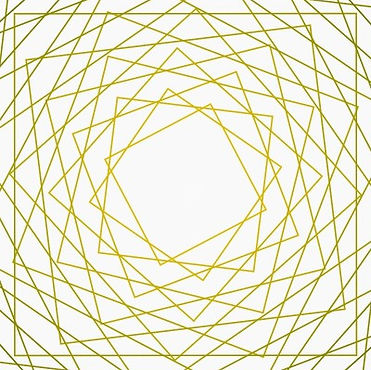
So combined with Tracey's work, this is what we've achieved. There is still a circle, which is purple and ever-changing, that when dragging to the center will still cause the big geometric layers to expand; however now the rotation function is triggered by moving the user's mouse.
Tracey has also changed the color to make it richer in terms of aesthetics.
(p5 editor link: https://editor.p5js.org/RisottoDa/sketches/Em1Cn4kZ7)